Notes
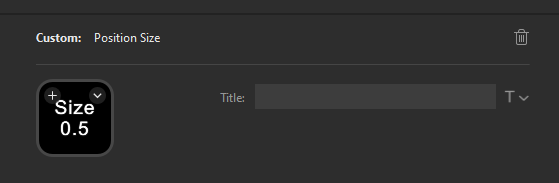
I needed a way to display the current Position Size for my Auto Take Profit hotkeys for cTrader
First I had a script which pulled the $positionsize value from a config.ini file every 5 seconds, then generates an image. This image can then be set as the Button Icon. The issue with this was the Stream Deck software did not reflect the new image
For my second attempt, I setup a local webserver which read the $positionsize value from the config.ini file every 5 seconds and displayed this on a webpage. The issue with this was the Stream Deck software does not have a way of streaming data
The solution was to create a custom Stream Deck Plugin for this specific purpose
Prerequisites
Stream Deck
Latest version of Stream Deck
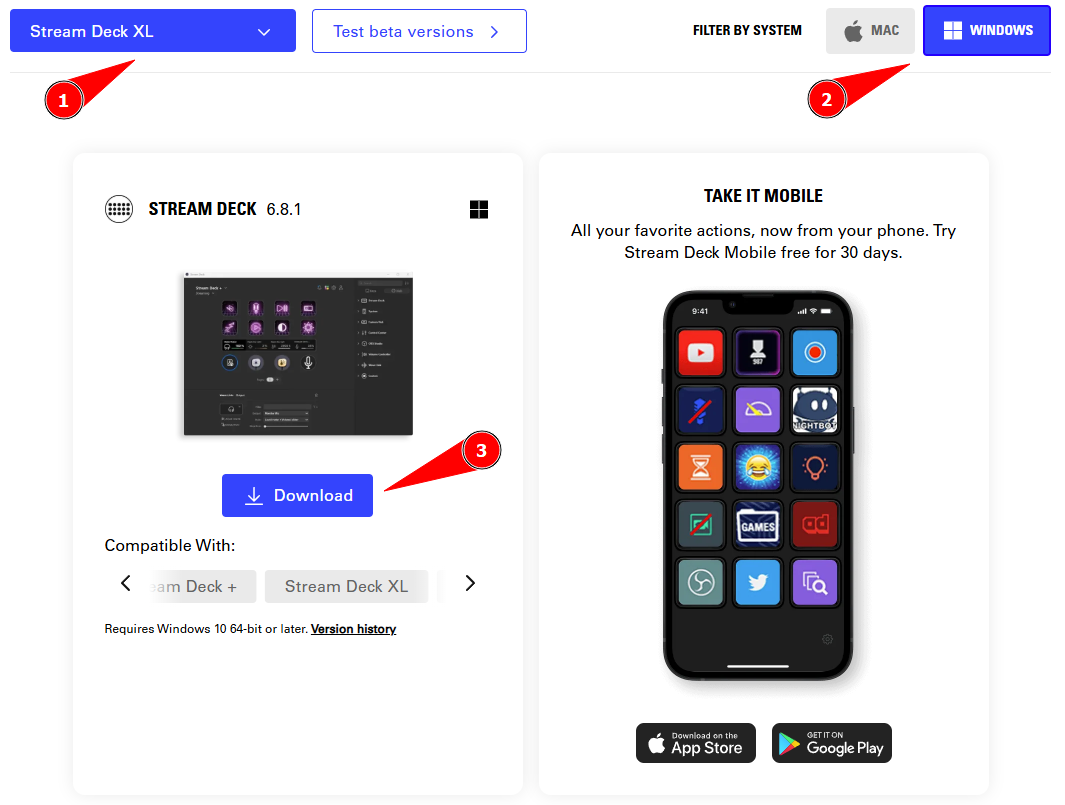
- Select your Stream Deck Product
- Select your OS
- Download & install Stream Deck
Custom Plugin Download

Add to Stream Deck
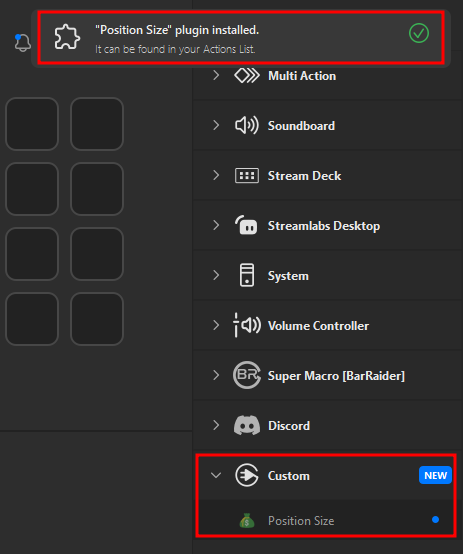
Double click and run the plugin
If there are no errors, it will show up in Stream Deck
Configure Options
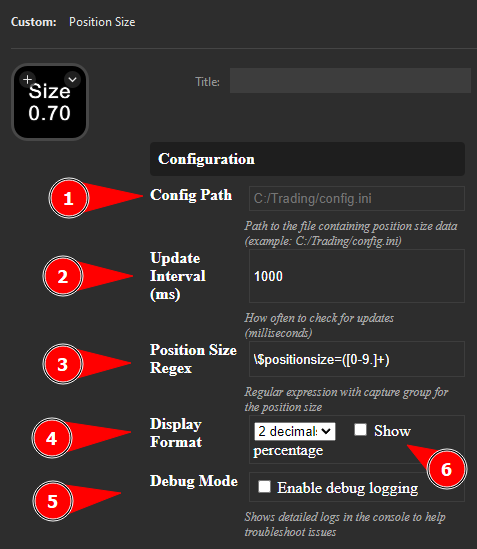
-
Config Path:
C:/Trading/config.ini- Path to the file containing position size data -
Update Interval:
1000- How often to check for updates (milliseconds) -
Position Size Regex:
\$positionsize=({0-9}+)- Regular expression with capture group for the position size -
Display Format:
2 decimal- Display 2 decimal places -
Debug Mode:
Disabled- When enabled, shows detailed logs in the console to help troubleshoot issues -
Percentage Display:
Disabled- When enabled, shows value as a percentage
Appearance & Testing
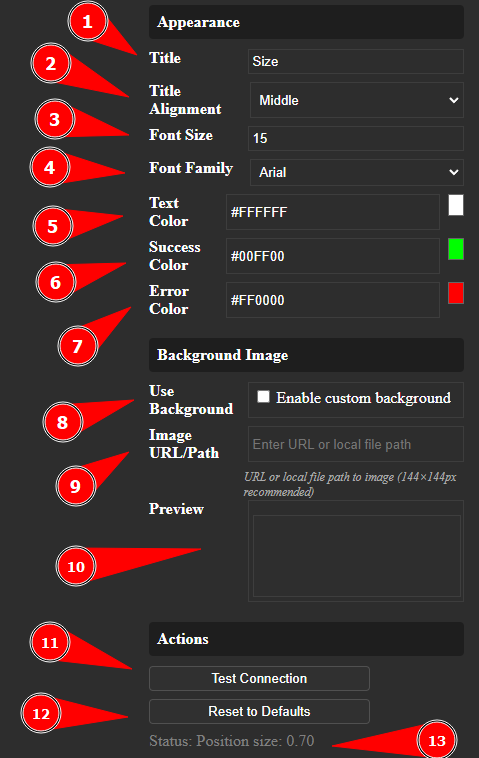
-
Title: Set what is displayed on the button
-
Title Alignment:
Middle- Aligns the title to the center, bottom or top of the container -
Font Size:
15- Sets the text size for the displayed elements -
Font Family:
Arial- Specifies the typeface used for text -
Text Color:
#FFFFFF- Sets the default text color to white -
Success Color:
#00FF00- Bright green color used to indicate successful actions or states -
Error Color:
#FF0000- Bright red color used to highlight errors or critical notifications -
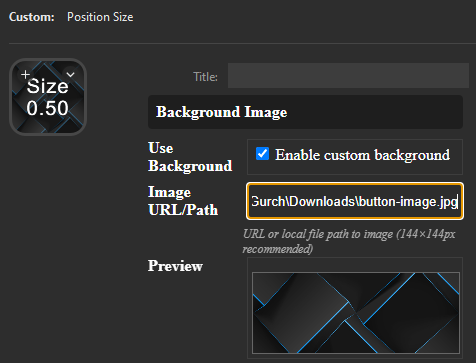
Background Image:
Disabled- Custom background image option is turned off -
Image URL/Path: Empty - No background image selected (recommended size 144x144px)
-
Preview: Preview area for potential background image
-
Actions: Section containing interaction buttons
-
Test Connection: Button to verify current connection settings
-
Status Indicator:
Position size: 0.70- Current status or key metric displayed at the bottom
Background
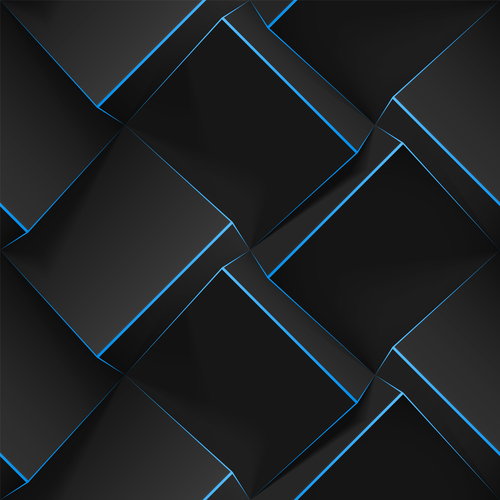
Using a public image
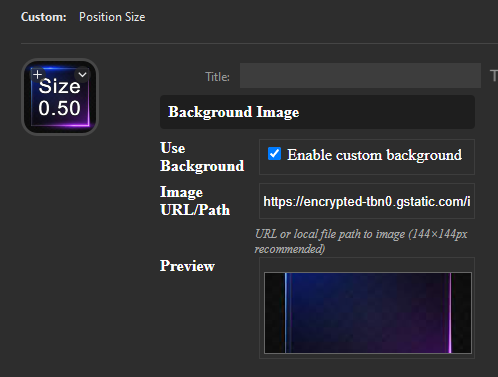
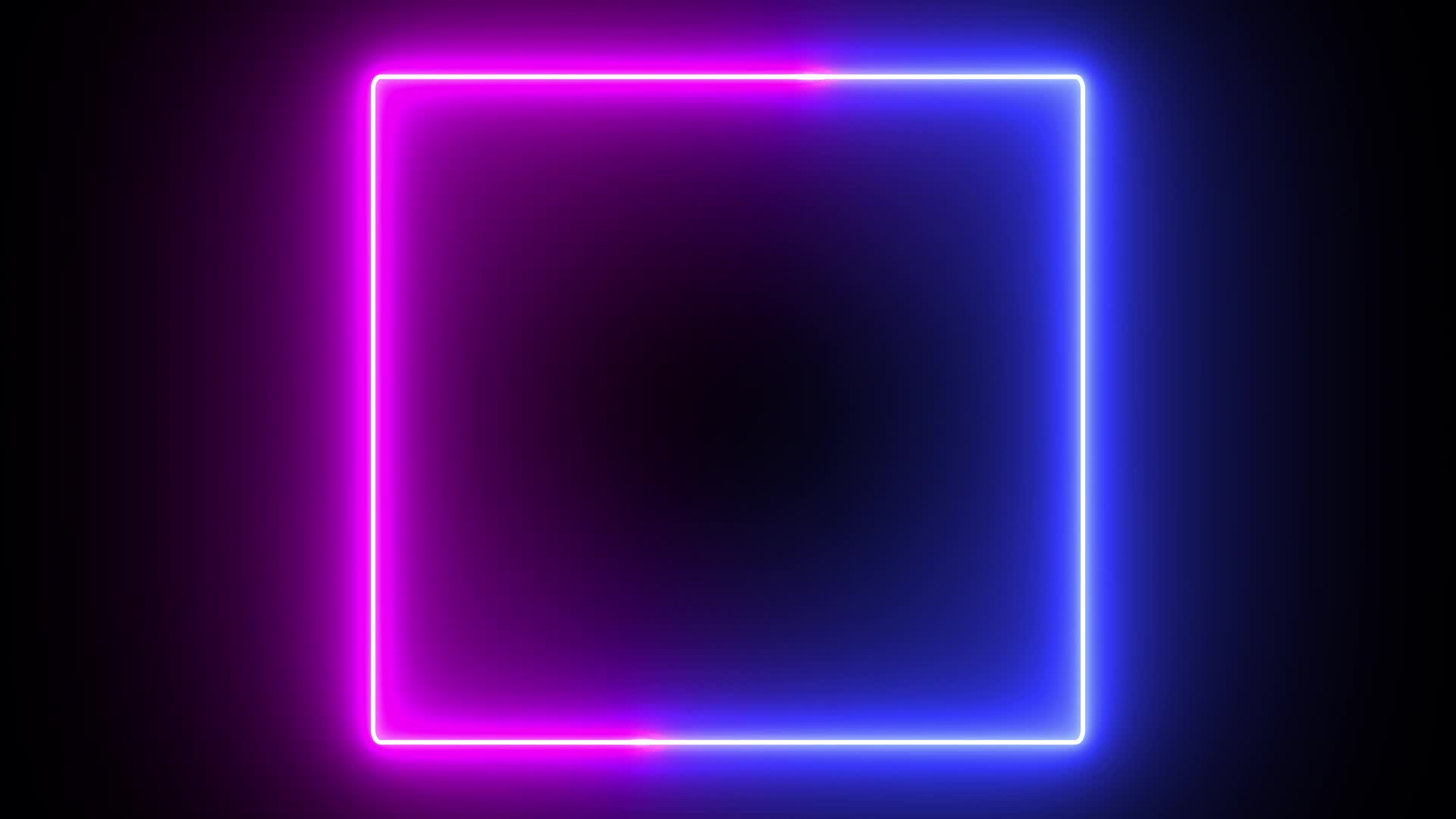
Using a local image
Colours
Recommended Color Picker: HTML Color Codes
| Color Name | Hex Code | RGB Values |
|---|---|---|
| White ⬜ | #FFFFFF |
rgb(255, 255, 255) |
| Black ⬛ | #000000 |
rgb(0, 0, 0) |
| Red 🔴 | #FF0000 |
rgb(255, 0, 0) |
| Green 🟢 | #00FF00 |
rgb(0, 255, 0) |
| Blue 🔵 | #0000FF |
rgb(0, 0, 255) |
| Forest Green 🟢 | #228B22 |
rgb(34, 139, 34) |
| Coral Red 🔴 | #FF6347 |
rgb(255, 99, 71) |
| Soft Gray ⚪ | #808080 |
rgb(128, 128, 128) |
| Pastel Blue 🔷 | #A7C7E7 |
rgb(167, 199, 231) |
Under the hood
Code
index.html
config.js
manifest.json
pi.html
sdpi.css
streamdeck-sdk.js
Folder Structure
/live-hotkey-data
├── com.gurch.positionsize.sdPlugin
│   ├── config.js
│   ├── images
│   │   ├── actionIcon.png
│   ├── index.html
│   ├── manifest.json
│   ├── pi.html
│   ├── README.md
│   ├── sdpi.css
│   └── streamdeck-sdk.js
Compiling
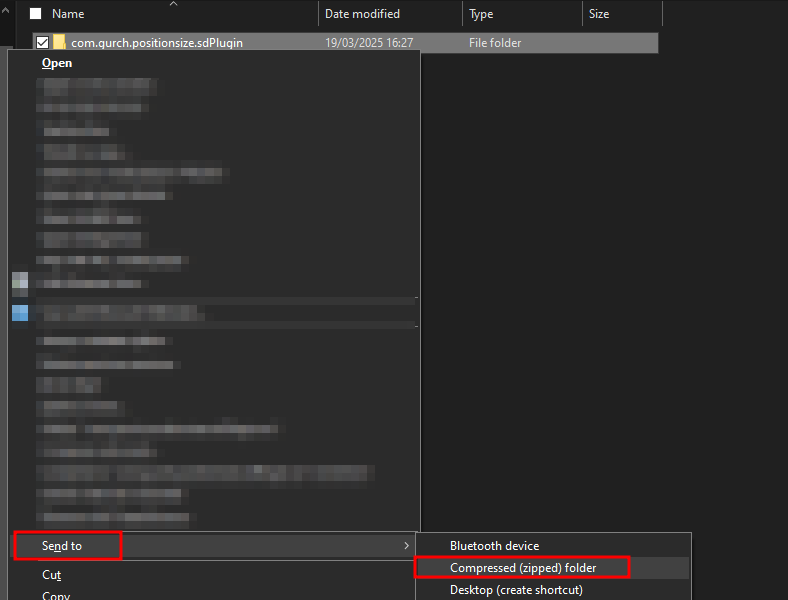
- Right click the folder containing the plugin files
com.gurch.positionsize.sdPlugin - Hover over Send to, then click on Compressed (zipped) folder
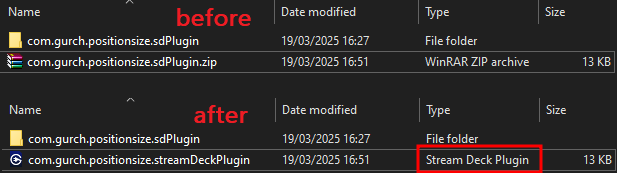
- Rename the newly created
com.gurch.positionsize.sdPlugin.ziptocom.gurch.positionsize.streamDeckPlugin
Security
A 70% of this code was written by an AI Here is Claude 3.5 Haiku's security review of the code