Create an account
Step 1: Navigate to the Registration Page
- Browse to the Authentik registration page (URL TBC)
Step 2: Complete the Registration Form
Fill out the enrollment invitation form with your details and save your credentials in your password vault.
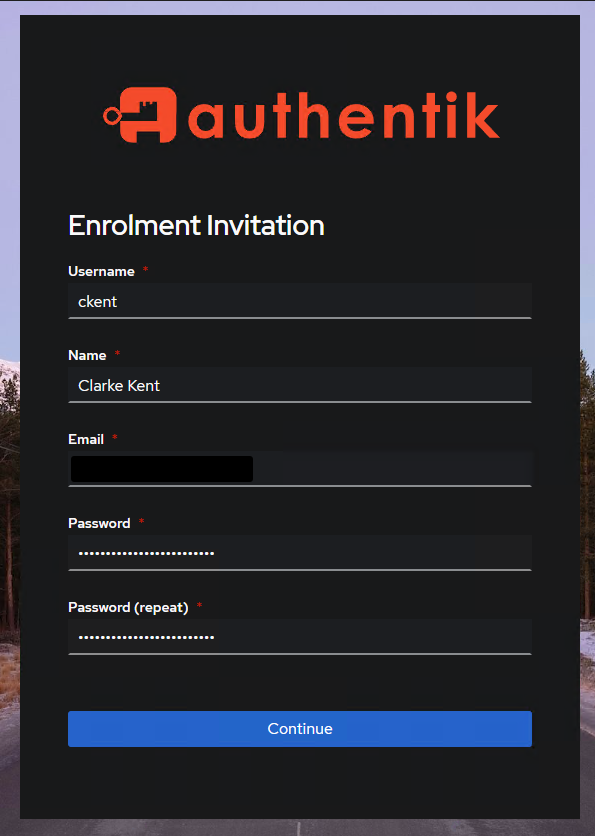
Password Requirements
Password complexity: Minimum 8 characters with at least:
- 1 uppercase letter
- 1 lowercase letter
- 1 digit
- 1 symbol
Example registration details:
Username: ckent
Name: Clarke Kent
Email: [email protected]
Password: SuperS3cretP@ssw0rd!
Step 3: Complete Registration
Click Continue to proceed with account creation.
Step 4: Login and Access the Dashboard
Browse to the Dashboard and login with your new account if prompted
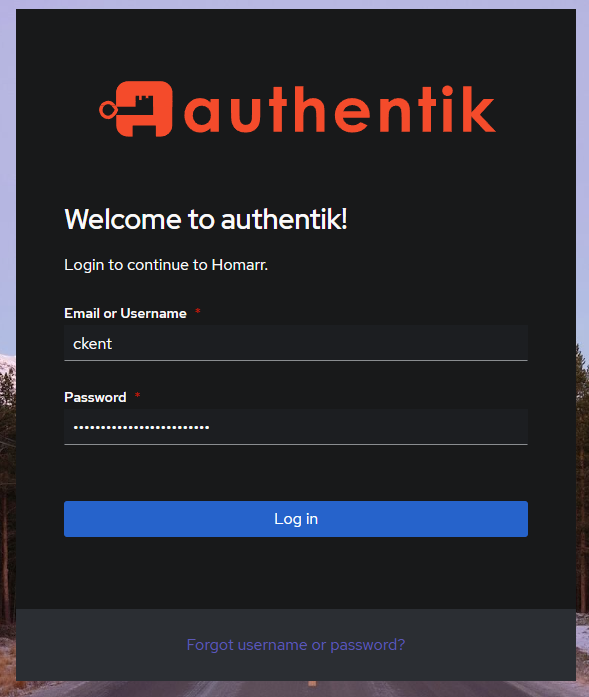
Proceed
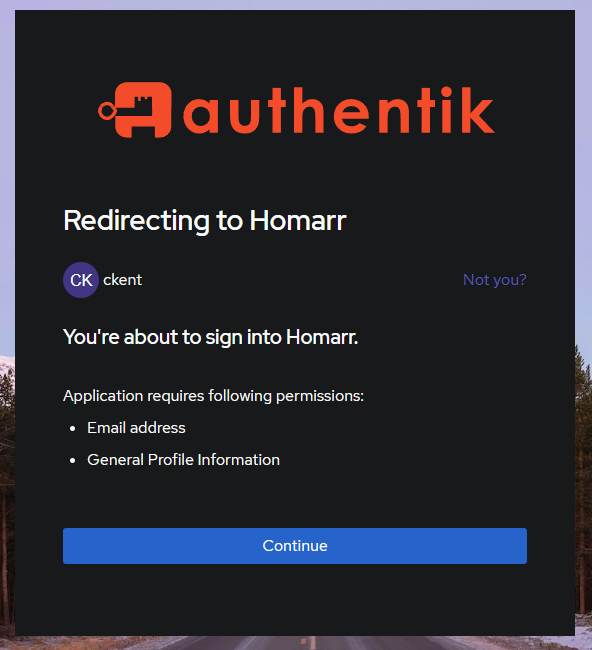
Now you will be redirected to the Dashboard where you can access most of the other applications using this single account
Password Recovery
If you forget your password, follow these steps to reset it:
Step 1: Access Password Reset
- Navigate to any connected application
- When prompted to login, click "Forgot username or password?"
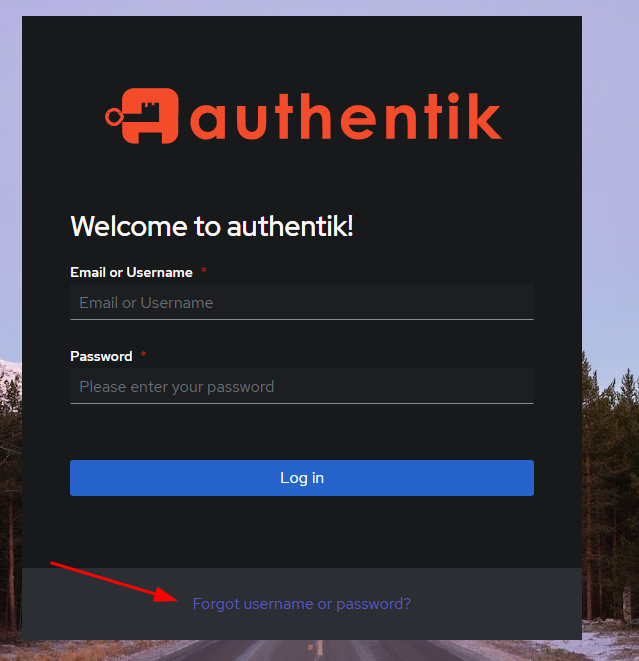
Step 2: Request Password Reset
- Enter your username or email address
- Click Continue
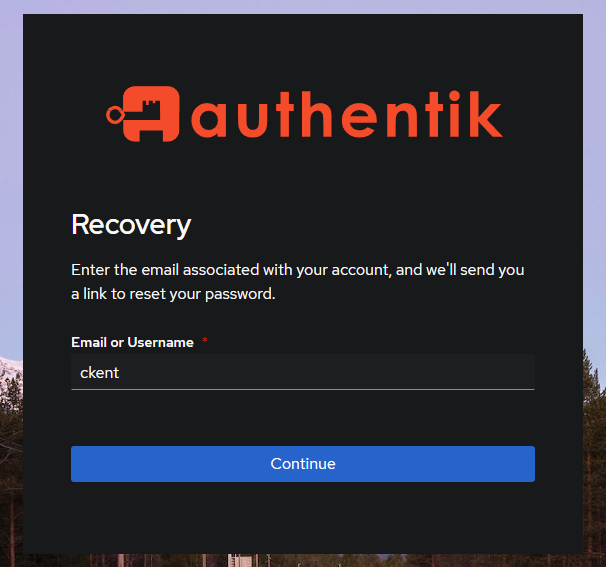
You'll receive an email with instructions to reset your password.
How Single Sign-On Works
I use Authentik as a central login system which manages user access across multiple applications.
When applications like Jellyfin connect to Authentik:
- Users log in once at Authentik instead of creating separate passwords for each application
- Applications automatically receive verification that users are allowed access
- User permissions can be managed from one place instead of in each separate application
This makes things simpler for both users (fewer passwords to remember) and administrators (easier to manage who can access what)
Troubleshooting
Common Issues
- Cannot access registration page
- Contact your administrator for the correct registration URL and ensure you have a valid invitation.
- Password doesn't meet requirements
- Ensure your password has at least 8 characters with uppercase, lowercase, numbers, and symbols.
- Not receiving password reset email
- Check your spam folder and verify you entered the correct email address.
- Cannot access applications after login
- Contact your administrator to verify your account has been granted appropriate permissions.
Need Help?
If you encounter any issues with account creation or access, please contact your system administrator for assistance.